
Quick Answer
ELRS, short for ExpressLRS, is a free, open-source radio system that sends your stick inputs from your transmitter to your drone. Pilots use it because it is cheap, fast, and has some of the longest range of any FPV control link. Almost every new FPV drone kit built after 2022 uses ELRS in some form.
What ELRS Actually Does
Every FPV drone needs two separate radio links. One link carries video from the drone to your goggles. The other link, called the control link, carries your stick movements from your transmitter to the drone's receiver. ELRS is software that runs this second link.
A team of volunteer developers builds ELRS and shares the code for free. Anyone can read it, change it, or add features. This is different from closed systems built by a single company, where only that company can fix bugs or add new options. Because so many people test and improve ELRS, it moves fast and fixes problems quickly.
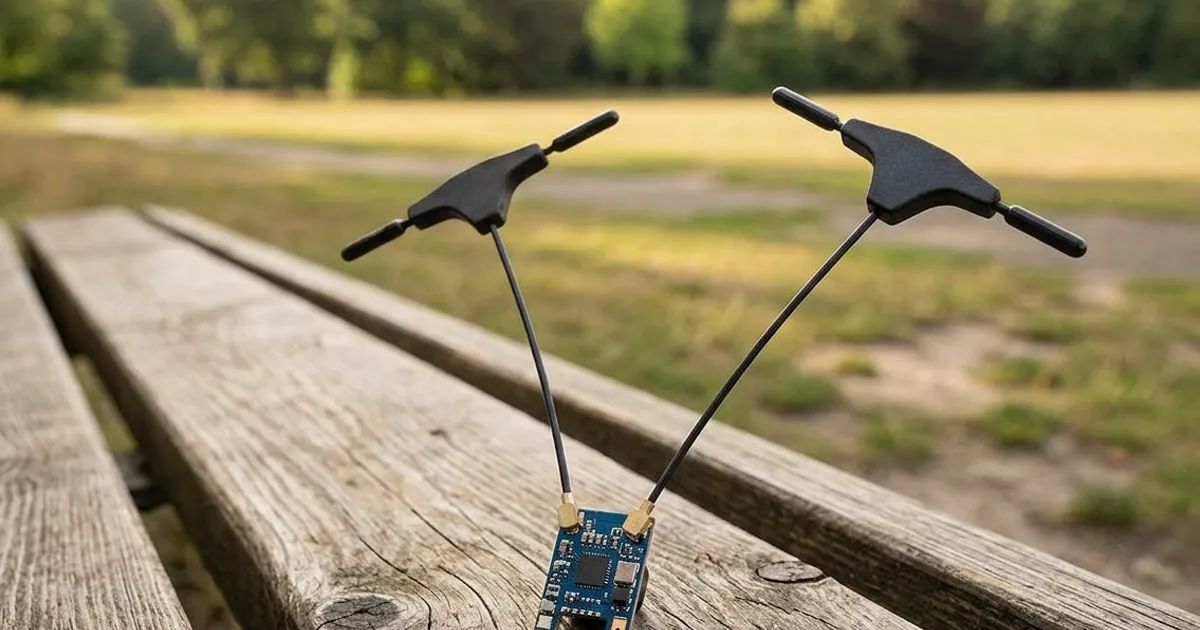
You need two matching pieces of hardware to use ELRS. Your transmitter needs an ELRS transmitter module, and your drone needs an ELRS receiver. Many radios, including most RadioMaster and BETAFPV models, now ship with an ELRS module built in. Receivers are small chips, often under a gram, that solder onto your flight controller.
2.4 GHz vs 900 MHz
ELRS runs on two different radio frequencies, and each one suits a different job.
2.4 GHz is the frequency most pilots use every day. It gives a strong, reliable link at typical FPV distances, from a small backyard park up to a few kilometers, depending on your setup and terrain. Almost every FPV kit and most transmitters sold today use 2.4 GHz as the default.
900 MHz uses a lower frequency, which travels farther and passes through obstacles like trees and buildings more easily. The trade-off is a slower data rate, so 900 MHz systems update less often than 2.4 GHz. Long-range pilots who fly several kilometers away often add a 900 MHz module for extra range and reliability, sometimes alongside a 2.4 GHz link for backup.
If you are just starting out, 2.4 GHz is the right choice. Save 900 MHz for dedicated long-range builds, which you can read about in our guide on building a long-range FPV drone.
Packet Rates: How Often the Radio Talks
ELRS sends small pieces of data, called packets, many times each second. This number is called the packet rate, and you can usually choose from several options in your radio's menu.
A higher packet rate, such as 500Hz, means the receiver gets fresh stick data 500 times every second. This makes your drone feel snappy and precise, which racers and freestyle pilots want. A lower packet rate, such as 50Hz, sends fewer updates per second but reaches much farther, because each packet is stronger and easier for the receiver to catch at a distance.
Most radios let you switch packet rates in flight or from a menu, so you can pick a fast rate for close, technical flying and a slower rate before a long-range flight.
Range and Latency
Range is how far you can fly before you lose a solid connection. ELRS is known for excellent range compared to many older systems, largely because its packet design and error correction let the receiver make sense of very weak signals.
Latency is the delay between moving a stick and the drone responding. ELRS keeps this delay extremely short, often just a few milliseconds at higher packet rates. Low latency matters most for fast, technical flying, where a delayed response can mean clipping a gate or hitting a tree. For slower filming or cruising flights, a small amount of extra latency barely matters.
Binding: Connecting Your Radio to a Receiver
Before your radio can control a drone, you must bind them together, which is a one-time pairing step. The simplest method is a binding phrase: a word or sentence you choose and set in the firmware of both the transmitter module and the receiver. When both sides share the same phrase, they lock onto each other and ignore other transmitters nearby.
Most receivers also have a small button or pads you can bridge briefly to enter bind mode. Once bound, the pairing is saved, so you do not need to repeat it every time you power on, unless you rebind to a different transmitter.
Firmware Updates
Because ELRS is open-source and updated often, both your transmitter module and your receivers need matching firmware versions to work properly. Developers regularly release new versions that add features or fix bugs. You update firmware using free tools, either a phone app or a computer program, connected over Wi-Fi, Bluetooth, or a USB cable, depending on your hardware.
It is worth checking for updates every few months, especially before a big flying trip, but there is no need to update constantly if your current setup works well.
How ELRS Compares to Crossfire and Older Systems
Before ELRS became popular, many long-range pilots used TBS Crossfire, a well-built commercial system with strong range. Crossfire still works well today, but it costs more, and its hardware only comes from one company.
Older systems like FrSky's original protocols were common in general RC hobbies for years before FPV racing grew. They work fine for basic flying but generally have shorter range and higher latency than ELRS at similar packet rates.
ELRS earned its popularity because it matches or beats Crossfire's range in most cases, costs much less, and updates constantly thanks to its open community. That combination is why most new pilots, and many experienced ones, choose ELRS today.