
Quick Answer
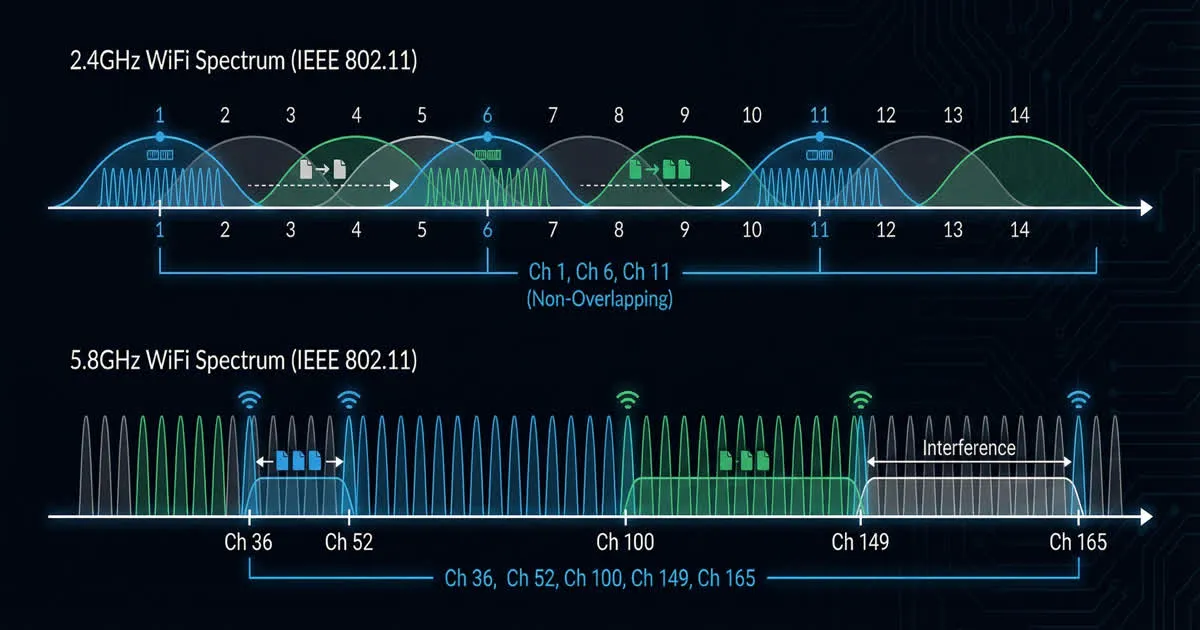
Most analog FPV video runs on the 5.8 GHz radio band. That band is split into named channels. Each channel is a slightly different frequency. Pick a channel no one else nearby is using. This stops your picture from breaking up. Digital systems often pick frequencies for you. Always check your local radio rules, since they vary by country.
What a Frequency Actually Is
A radio frequency is how fast a radio wave repeats. We measure it in cycles per second, called hertz. FPV gear uses very fast waves. So we count them in megahertz, MHz, or gigahertz, GHz. One GHz equals one thousand MHz.
Most analog FPV video sits in the 5.8 GHz band. Most countries set this band aside for short-range gear like this. Inside that band, the range is split into channels. Each channel is one exact frequency. You pick it on your VTX and your goggles.
Bands and Channels Explained
A "band" is a named group of channels. In the past, VTX makers used slightly different band layouts. Today, most gear shares a common set of bands. Each channel in a band sits at its own exact frequency. Channels are spaced apart to reduce overlap.
Your goggles and VTX must match on the same channel. If they do not match, you get no picture at all. Most modern gear can scan channels for you. It searches for an active signal. This helps when you do not know a friend's channel.
| Term | What it means |
|---|---|
| Frequency | How fast a radio wave repeats, in MHz or GHz |
| Band | A named group of related channels |
| Channel | One exact frequency inside a band |
| Bandwidth | How much space one channel uses |
Why Pilots Pick Different Channels
If two pilots use the same channel nearby, their signals clash. Both goggles show static or a broken picture. This happens even if both drones work fine.
To avoid this, pilots agree on channels before they fly. They try to space their channels apart. Some flying fields keep a simple channel chart. Regular pilots then know which channel is "theirs." This cuts down on arguments and ruined flights.
Avoiding Interference When Flying in Groups
- Talk about channels before you fly. A short chat saves a flight full of static.
- Space channels apart, not just pick different numbers. Some channels sit close together even with different names. Ask a local pilot which channels tend to clash at your field.
- Scan for traffic before you set your channel. A quick scan shows which channels are busy.
- Think about power too. A strong signal on a "different" channel can still bleed into a neighbor's picture. Our guide on VTX power explains how power affects range and interference.
- Antenna choice can help too. Some antennas send less signal toward other pilots. See our FPV antenna guide for the basics.
Digital Systems and Frequency Selection
Digital systems, like DJI, Walksnail and HDZero, work a bit differently. Many of them scan for a clear frequency on their own. Some can even switch frequencies during flight to dodge interference. This is one reason digital video often holds up better in busy areas.
Digital systems are not perfect, though. Many digital pilots flying close together can still clash. If you are choosing between analog and digital, our guide on analog vs digital FPV compares the two in more depth.
Why Local Radio Rules Matter
Your government sets the rules for radio bands. Drone makers do not set these rules. What is legal in one country may not be legal in another. This is true for both channels and how much power you can send.
Before you fly, check your country's current radio rules. This matters more with new gear, and when you travel. Rules can change over time. Only your local radio or aviation authority can confirm what is allowed right now. Good radio habits also keep you safe and fair to other people nearby. Our guide on flying FPV safely covers more habits worth building.
A Simple Pre-Flight Channel Checklist
- Pick your channel before you get to the field.
- Ask other pilots what channels they plan to use.
- Scan for active signals if your gear can do it.
- Set your goggles and VTX to the same channel.
- Check that your channel and power are legal where you fly.
This small routine takes only a minute or two. It saves a lot of frustration once you are already in the air. Make it a habit, just like checking your battery and props before takeoff.