
Quick Answer
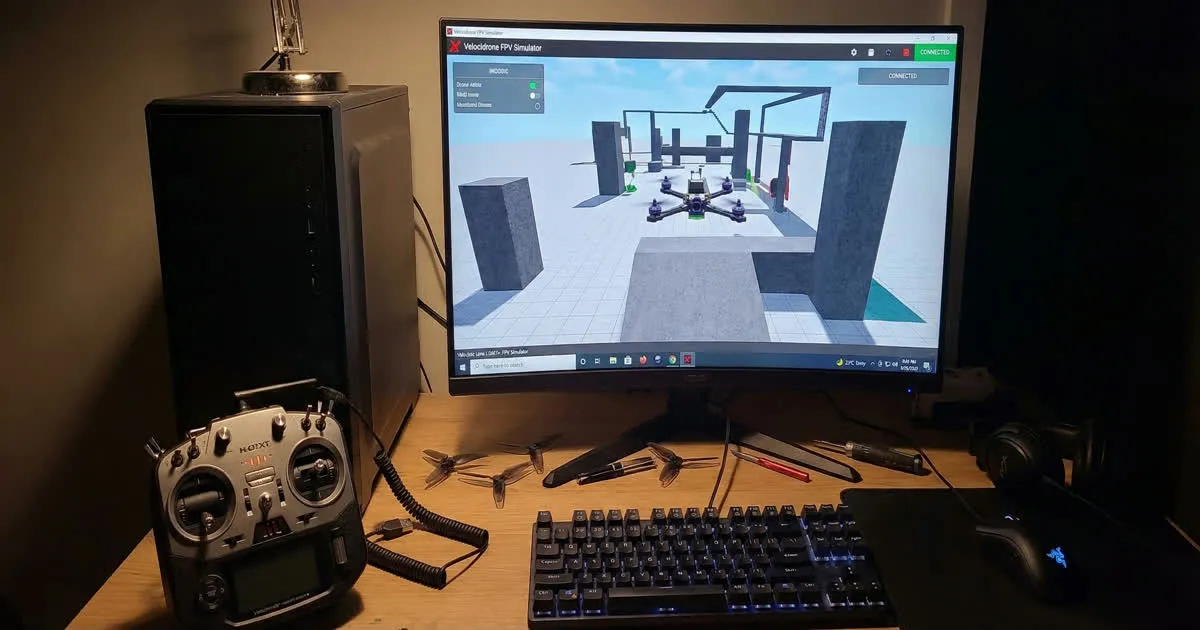
An FPV simulator lets you practice flying on a computer using your real radio, without any risk of crashing an actual drone. Popular options include Liftoff, Velocidrone, Uncrashed and TRYP. Most pilots connect their radio by USB and start with basic hover and rate practice before moving to real flying.
Why Simulators Save You Money
Learning to fly FPV takes real practice, and mistakes are part of that process. Every crash on a real drone can mean a broken propeller, a bent motor shaft, or a cracked frame arm. None of that happens on a simulator.
A simulator lets you fail as many times as you need, for free, while you build the muscle memory for basic control. By the time you fly a real drone, you already understand how the sticks respond, how acro mode feels, and how to recover from a bad angle. This turns your first real flights into practice sessions instead of expensive lessons. Our guide on choosing your first FPV kit recommends a simulator as the very first purchase, even before the drone itself.
Connecting Your Radio by USB
Most FPV radios connect to a computer with a simple USB cable and show up as a joystick device. Once connected, most simulators detect the radio automatically or let you map each stick and switch manually in a settings menu.
The general steps look like this:
- Plug your radio into the computer using a USB cable.
- Turn the radio on and confirm the computer recognizes it as a joystick or controller.
- Open the simulator and go to its controller or input settings.
- Map each stick axis and switch to match your radio's channel order.
- Test the mapping by moving each stick and checking it matches on screen before flying.
Getting this mapping right matters. If your channels are mixed up, your first minutes in the simulator will feel confusing for the wrong reasons.
Popular FPV Simulators
A few simulators stand out as common choices across the FPV community.
Liftoff is known for realistic-feeling physics and detailed drone models. It suits pilots who want their simulator flying to translate closely to how a real drone handles.
Velocidrone is popular for racing practice, with a large library of real racing tracks. Many competitive pilots use it to learn courses before flying them in person.
Uncrashed focuses on an accessible learning experience, with settings designed to help complete beginners build basic control skills without feeling overwhelmed.
TRYP offers freestyle-focused practice with a range of maps built for creative flying rather than fixed race courses.
Each simulator has its own feel, so trying more than one before committing is a reasonable approach, especially early on.
Setting Your Rates
"Rates" control how fast the drone rotates for a given stick movement. Most simulators let you copy or approximate the rates used in Betaflight, the firmware that runs most FPV flight controllers.
For beginners, lower rates make small stick movements easier to control, since the drone reacts less sharply. As your control improves, you can raise rates to get faster, more responsive movement for tricks and quick direction changes.
Do not copy an advanced pilot's rates directly when you are just starting. Set your own rates low enough that you feel in control, then increase them gradually as your accuracy improves.
A Simple Practice Plan
Structure your simulator time instead of just flying randomly. This practice order works well for most beginners.
- Hover practice. Spend your first sessions just holding the drone steady in one spot. This alone builds most of the core stick control you need.
- Basic movement. Practice flying straight lines, gentle turns and slow figure-eights while staying level.
- Angle changes. Practice tilting the drone forward and backward smoothly, learning how throttle and pitch work together.
- Simple maneuvers. Once comfortable, try basic flips, rolls and power loops in a wide open space in the simulator.
- Line flying. Start linking movements together into smooth, connected paths, which is the foundation of both racing and freestyle flying.
Short, focused sessions most days beat long, occasional sessions. Even fifteen minutes a day builds skill faster than one long session per week.
When to Move to a Real Drone
There is no perfect rule for when to stop practicing on a simulator and fly for real, but a few signs are worth watching for.
- You can hold a steady hover without constant correction.
- You can fly basic shapes, like circles and figure-eights, without losing control.
- You understand how your rates feel and can recover from an unexpected tilt.
- You know your radio's switches and modes without having to think about them.
Once these feel natural, a real drone will feel far more familiar than if you had skipped the simulator entirely. Before your first real flight, read our guide on flying an FPV drone safely so you understand failsafe checks and safe flying habits from day one.