
Quick Answer
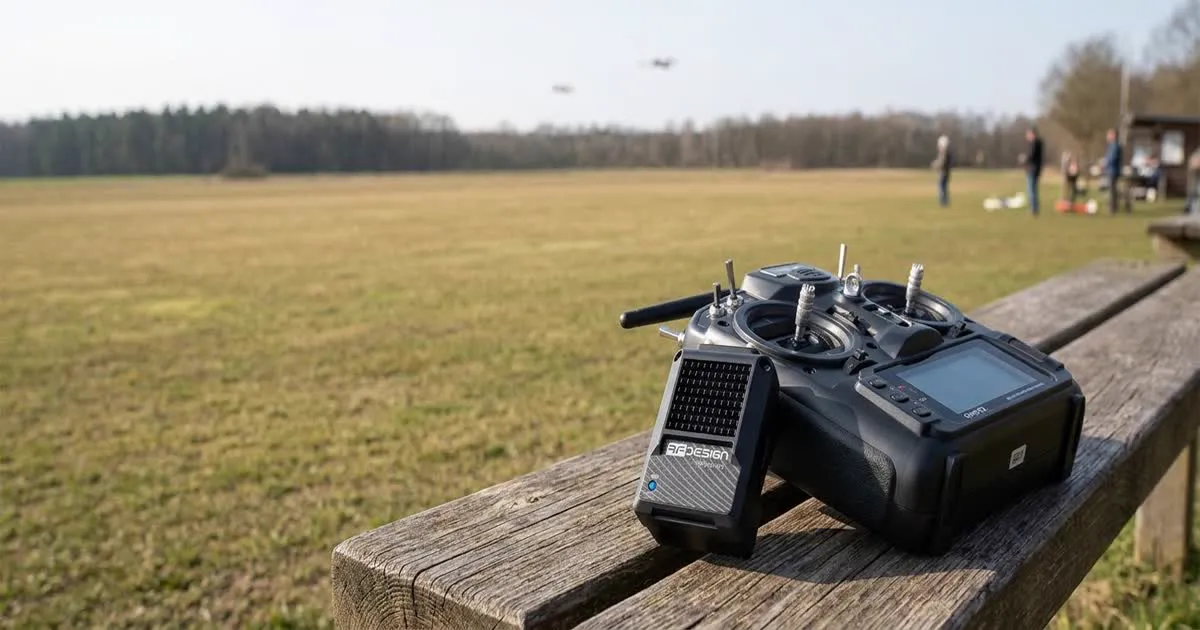
The RFD TXMOD is a radio module that fits in a standard transmitter module bay and combines RC control and telemetry over one long-range link. Instead of separate control and telemetry radios, it lets your existing handheld radio send control signals and receive drone data through the same RFD radio hardware.
What the TXMOD Actually Does
Most long-range setups use two separate systems. One is a control link, such as ExpressLRS. The other is a telemetry radio, such as an RFD900. The TXMOD combines these two roles into one box. It fits into the module bay of a compatible handheld transmitter. From there, it uses RFD radio technology to carry your stick inputs to the drone. At the same time, it carries telemetry data back to your radio's screen.
This matters because it cuts down on gear. A long-range pilot normally manages several radios, several antennas, and several cables. The TXMOD reduces that down to one link and one set of antennas, handling both jobs at once.
Combining RC Control and Telemetry on One Link
In the past, control and telemetry ran on separate frequencies and separate radios. This kept the two links from interfering with each other. It also let each link type be built for its own job. The TXMOD takes a different path. It uses the RFD radio's ability to carry structured data on one connection. That data includes both control commands and telemetry together.
The benefit is a simpler physical setup on your radio and your drone. The trade-off is that one radio system now handles everything. If that one link has a problem, it can affect both control and telemetry at the same time, instead of just one of them.
Fitting It to a Module Bay
The TXMOD is built to fit a widely used module bay standard. Many long-range handheld transmitters already use this standard. If your radio has a compatible bay, the TXMOD slots in much like an ELRS or Crossfire module would.
Check your transmitter's exact module bay size and pin layout before you buy one. Not every radio brand uses an identical standard. Firmware support on your radio also matters for full functionality. Our guide to what ELRS is explains a more common module-based control link, for comparison.
Setup Steps
Setting up a TXMOD generally follows this order:
- Install the module into your transmitter's module bay and confirm it powers on correctly.
- Update the transmitter's firmware if a newer version adds or improves TXMOD support.
- Configure the matching air-side RFD radio on the drone, setting the same Net ID, frequency, and other link settings as the TXMOD, similar to matching two telemetry radios.
- Confirm telemetry data appears on your radio's screen, and test control response before your first flight.
If you have set up RFD radios before for telemetry, the settings will feel familiar. Our RFD900 ArduPilot setup guide covers matching Net ID and air data rate in detail, and the same principles apply here.
Range and Performance Expectations
The TXMOD is built on RFD radio hardware. Because of that, it shares the long-range strengths of the wider RFD platform. This is especially true on 900 MHz-class bands, which travel well over distance and around obstacles. Actual range still depends on other things too, such as antenna choice, mounting, terrain, and the legal power limit in your area.
As with any long-range radio, confirm the frequency band and transmit power are legal where you fly. Countries treat these bands differently. Power limits can also vary a lot from one region to another, so do not assume your home country's rules apply elsewhere.
Weight and Space in the Radio
Adding a TXMOD changes the weight and balance of your handheld transmitter a little, since it sits in the module bay along with its own antenna. Most pilots barely notice this change after a few flights, but it is worth holding the radio in your hands before you fly, just to check the balance still feels right.
On the drone side, you still need a matching RFD radio and antenna mounted the same way you would for a standalone telemetry radio. This part of your build does not get any lighter just because the transmitter side became simpler.
Test any new control link thoroughly on the ground before your first flight, including a failsafe test, since it now carries both control and telemetry for your drone.
Typical Use Cases
The TXMOD suits pilots who already fly long-range missions and want to simplify their gear rather than run separate ELRS and telemetry radio systems. It is a good fit for:
- Long-range fixed-wing or multirotor pilots who want one combined link instead of two separate systems.
- Builders who want to reduce weight and complexity from carrying multiple radios and antennas.
- Pilots already comfortable with RFD radio configuration who want that same reliability applied to control, not just telemetry.
If your build already runs a strong ELRS control link and a separate telemetry radio working well, switching to a TXMOD may add complexity without a clear benefit. It is most useful when you are planning a build from the ground up, or specifically want to cut down on separate radio systems. See our RFD modem comparison for more on the wider RFD radio lineup.