
Quick Answer
The Power Brick Mini and the Power Selection Module, or PSM, both feed clean power to a Cube flight controller. The Power Brick Mini has one power input. It also has a sensor for voltage and current. The PSM can take two power sources. If one fails, it switches to the other. Both need a quick check in Mission Planner so battery numbers stay accurate.
Why a Power Module Matters
A flight controller cannot run right off a raw battery. Battery voltage changes as the pack drains. It is also often too high for the small logic chips inside. A power module drops the voltage to a safe, steady level.
At the same time, it measures voltage and current. This lets the autopilot show you how much battery is left. It can also warn you before the pack runs too low.
Without a power module, ArduPilot has no good way to track battery state. This is why CubePilot treats the power module as a required part. It is not just an extra.
Power Brick Mini: The Basics
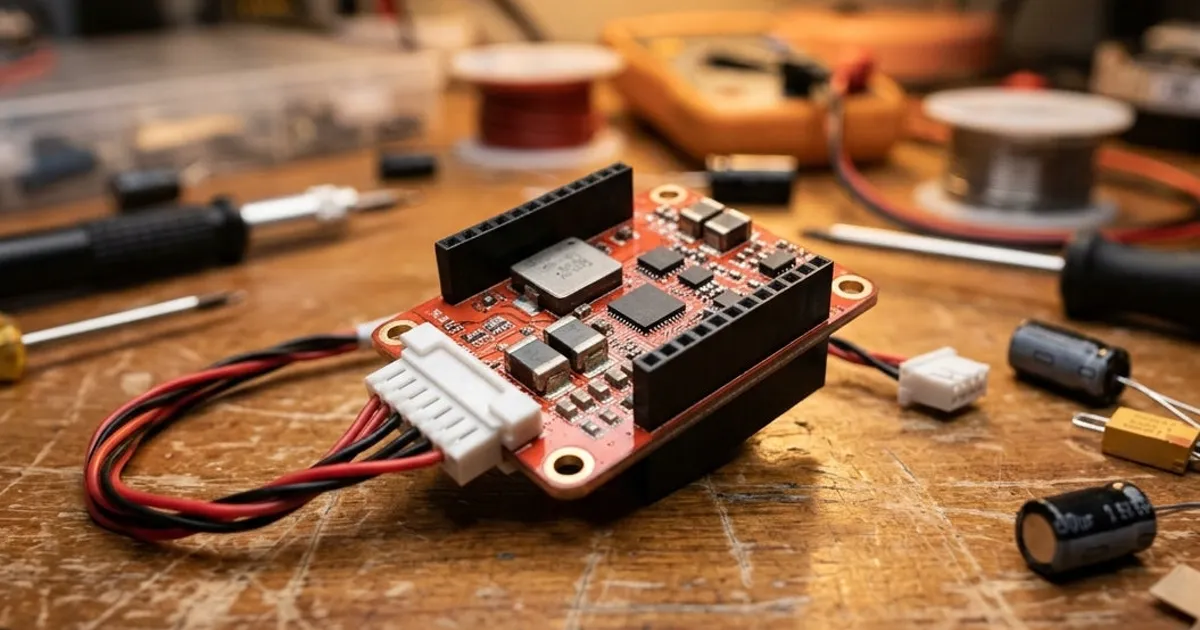
The Power Brick Mini is a small board. It sits between your main battery and the flight controller. It has one input for battery power. It has one output, often a small cable that plugs into the Cube's power port.
Inside, it reads voltage directly. It reads current using a built-in sensor. It also gives clean, steady power to run the flight controller itself. This is separate from the higher battery voltage.
This is a simple setup with one power source. It suits smaller drones. It works well when one battery is all you need, and backup power is not a priority.
Power Selection Module: Adding Redundancy
The PSM has a different job. It keeps the flight controller alive even if one power source fails. It takes two separate inputs. This might be a main battery and a backup battery. It might be a battery plus an outside power supply.
The PSM switches to whichever source still works. It does this on its own. You do not need to do anything mid-flight.
This matters most on large drones and mapping aircraft. It matters any time a power failure would be costly. A loose plug or a bad solder joint no longer means a lost aircraft. The second source can carry the load instead.
The PSM also reports voltage and current, just like the Power Brick Mini. You still get clear battery data in Mission Planner and on your radio.
Wiring to a Cube Carrier Board
Both modules plug into the Cube carrier board's power port. This port is often labeled POWER1 or POWER2. It depends on the carrier board model. Larger carrier boards, like the Cube Orange+ carrier, support two power inputs at once. This lets you run a PSM, or two power bricks, for full backup power.
A few tips for wiring:
- Keep power wires short. Use connectors rated for your top current draw.
- Route power cables away from GPS and compass wires. High current can add magnetic noise.
- Label each power wire if you run two sources. This stops mix-ups during repairs.
For more on connector types and pin order, see Pixhawk cables and ports explained.
Calibrating in Mission Planner
A power module only gives useful numbers after a quick check. The voltage side is often correct right away. It just reads a simple ratio. The current side almost always needs a check. Current sensing can vary a bit from board to board.
Basic steps:
- Open Mission Planner and go to the battery monitor screen.
- Pick the correct power module type. This tells ArduPilot how to read the sensor.
- Enter your battery capacity in milliamp-hours. This helps ArduPilot show percent remaining.
- Fly a short flight, or run the motors on the bench. Compare the used capacity against a separate charger's reading.
- Adjust the current setting until the two numbers match closely.
Check this again after any hardware change. Swapping the power module or the battery plug can shift the reading a bit.
Power Brick Mini vs PSM: Which to Choose
| Factor | Power Brick Mini | PSM |
|---|---|---|
| Power inputs | One | Two, with auto switching |
| Best for | Small builds, one battery | Larger or high-value aircraft |
| Backup power | None | Yes |
| Setup work | Simple | A bit more wiring |
Pick the Power Brick Mini if your drone has one battery. A soft crash you can walk away from is an acceptable risk. Pick the PSM if you fly mapping missions or a large multirotor. The extra wiring buys real peace of mind.
A Word on Batteries and Sensors
The power module only reads what passes through it. If a motor or gimbal draws current from a separate battery, that current will not show up in your readings. Keep your main flight battery on the power module's path. This keeps ArduPilot's failsafe numbers correct. For more on how current sensing works, read current sensors explained.