
Quick Answer
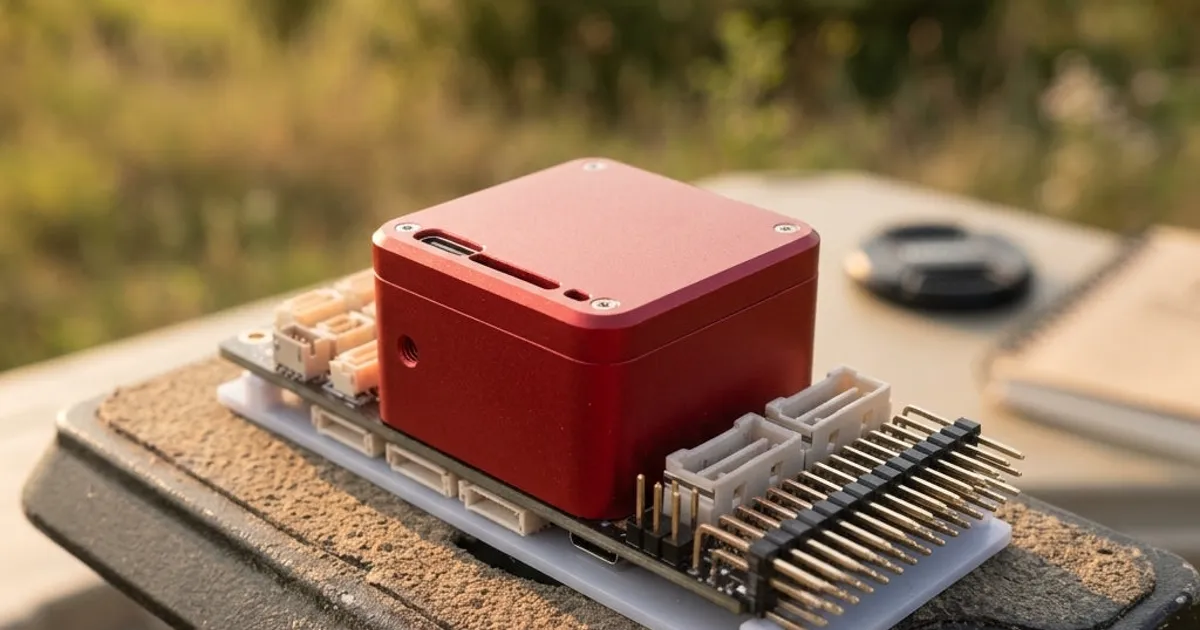
The Cube Orange+ is CubePilot's proven, mid-tier autopilot. It has strong backup sensors and wide carrier board support. The Cube Red is a newer, more powerful option. It has extra room for onboard computers and complex flight logic. Most mapping and farm builds do well on the Cube Orange+. The Cube Red earns its higher price on complex builds that push the chip hard.
Why Compare These Two
Both the Cube Orange+ and the Cube Red use CubePilot's modular design. The autopilot is a small module. It plugs into a separate carrier board. Both run ArduPilot or PX4. Both have backup sensors on vibration mounts. The real gap is raw chip power, memory room, and how much space they leave for heavy or future tasks.
Processor and Memory
The Cube Orange+ uses a solid chip. It handles standard ArduPilot flight tasks with ease. This covers GPS auto missions, RTK position data, and talking to several DroneCAN devices at once. It has been a steady, trusted choice on mapping and farm platforms for years.
The Cube Red steps up chip power and memory past the Orange+. This extra room matters less for basic flight control, since the Orange+ already handles that well. It matters more when the autopilot must do more at once. This might mean running complex flight logic, handling more sensor data per second, or talking fast to an onboard computer.
Redundancy
Both boards carry backup, vibration-mounted IMUs. This follows the same idea across CubePilot's whole line. Neither one leaves you with just one sensor to trust.
The real-world backup feel is close between the two. Your choice should rest far more on chip needs than on any real gap in sensor safety.
Companion Computing
Many paid and research drones pair the flight controller with a separate onboard computer. This small computer runs tasks like camera control or object detection. It then talks to the autopilot over a wired link.
The Cube Orange+ works well with onboard computers for normal tasks. Think sending flight commands or reading flight data. The Cube Red's extra power fits better when the onboard computer needs faster, more frequent data. It also fits when the autopilot itself must run heavier logic, rather than leaving it all to the onboard computer.
Carrier Board Compatibility
Both the Cube Orange+ and Cube Red share the same module shape and plug pattern. Both work with a wide range of CubePilot and outside carrier boards. This is a real perk of the modular Cube design. Picking between these two rarely forces you into a new carrier board or wiring plan.
Still, check your carrier board's own guide first. Some boards are built or tested with one Cube model in mind. An older carrier board may not use all of a newer Cube's power.
Comparison at a Glance
| Factor | Cube Orange+ | Cube Red |
|---|---|---|
| Chip and memory | Strong, proven | Higher headroom |
| Backup sensors | Yes | Yes |
| Onboard computer use | Good for normal tasks | Better for heavy or fast data |
| Carrier board support | Wide | Wide |
| Best for | General mapping, farm work | Complex builds, heavy onboard tasks |
| Relative cost | Lower | Higher |
Which Projects Justify Each
Pick the Cube Orange+ for a general mapping drone, a farm spray platform, or any aircraft running normal ArduPilot missions with GPS, RTK, and DroneCAN sensors. It has a long track record. It handles these jobs well at a lower cost.
Pick the Cube Red for a build that pushes past normal flight needs. This might be a research platform with heavy onboard work, a VTOL aircraft with tough sensor fusion, or any build where the onboard computer needs a fast, high-data link to the autopilot. Not sure your build needs that extra room? It likely does not. The Orange+ is the safer pick.
For a wider look at CubePilot's full lineup, including GPS and power parts, read what is CubePilot?
A Simple Way to Decide
If you are still unsure, ask what your onboard computer actually needs to do. A computer that just logs data or sends the occasional command is well served by the Cube Orange+. A computer running live camera processing, mapping software, or fast obstacle checks needs the faster link and extra headroom the Cube Red offers. When in doubt, start with the Orange+ and upgrade later if you hit a real limit, since the shared module shape makes that switch simple.
Setup Is the Same Either Way
Both autopilots follow the same ArduPilot setup path. Install firmware, set frame type, calibrate sensors and radio, then set flight modes and failsafes. If this is new to you, ArduPilot setup: first configuration step by step walks through it in order. Your pick between Orange+ and Red does not change first setup. It only changes how much chip room you have for advanced features later.