
Quick Answer
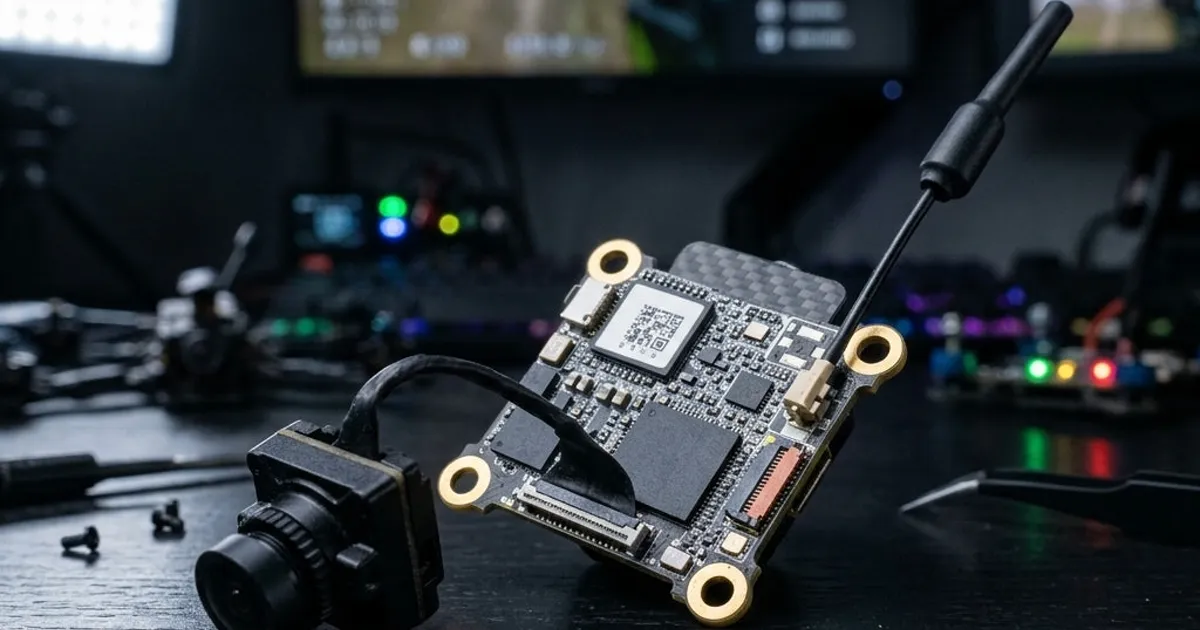
For an RC car, an analog FPV camera is often the simplest and cheapest choice. A digital system gives a much clearer picture if your budget allows it. Mount the camera low but steady. Angle it down a bit for ground-level driving. Keep it away from vibration. Power it from a clean, steady source, kept apart from noisy motor wires.
Why RC Car FPV Is Different from Drone FPV
Flying FPV and driving FPV share the same core idea. A camera on the vehicle sends video to your goggles or a screen. This lets you control it from a first-person view. But the setting is very different. A car stays close to the ground. It deals with steady shake from wheels and springs. It often drives through dust, grass or bumpy ground that a flying drone never touches.
This changes what matters most. Range is often shorter than a drone flight, since you drive close to the ground and often in sight. But vibration control, a low mount and a wide enough view matter more than they do in the air.
Analog vs Digital for Ground Vehicles
Our general guide on analog vs digital FPV covers the full picture for drones. Most of the same trade-offs apply to RC cars too.
Analog cameras are small, cheap, and react almost right away. This matters when you must react fast to a bump or rock. Picture quality is lower than digital. It also fades to static bit by bit, rather than cutting out all at once.
Digital cameras give a much sharper, clearer picture. This helps a lot when you must spot small rocks or curbs at speed. They react a bit slower than analog, though newer systems have closed much of that gap. Digital gear also costs more and needs careful power setup, just like it does on a drone.
| Factor | Analog | Digital |
|---|---|---|
| Picture clarity | Lower | Higher |
| Reaction time | Very fast | Fast, but slower than analog |
| Cost | Lower | Higher |
| Signal loss | Fades to static | Can freeze or break up |
| Good for | Budget builds, casual driving | Tricky courses, filming |
Mounting Height and Angle
A car sits much lower than a flying drone. So camera placement needs its own plan. Mount the camera as low as your chassis allows. Keep the lens clear of the ground, water and dust thrown up by the tires.
Angle the camera down more than you would on a drone. This lets you see the path ahead without wasting the frame on empty sky. Too flat an angle wastes your view on the sky. Too steep an angle makes it hard to judge distance in time.
Test your angle on the real ground you plan to drive. A setting that works on a paved lot may not suit rough terrain.
Dealing with Vibration
RC cars shake all the time from the drivetrain, springs and bumps in the ground. This is a very different shake than a drone's motor noise. A camera bolted straight to the chassis will pass most of that shake into your picture. The result looks blurry or jumpy.
A simple rubber mount between the camera and the car soaks up much of this shake. Foam tape works fine for light cameras. For a more sensitive digital camera, a proper damped mount gives a much steadier picture than tape alone.
Range at Ground Level
Radio signals act differently near the ground than they do in open air. Curbs, other cars, fences and even the ground itself can block or bounce a signal more than they would with a drone flying a few meters up. Expect a shorter range from a car FPV setup than the same gear gets on a drone. Plan your driving area with that in mind.
Antenna placement matters more on a car too. The whole car sits close to objects and ground clutter that a flying drone never has to deal with.
Powering the Camera Cleanly
RC car wiring can carry a lot of electrical noise, most of all near the motor and speed control unit. Power your FPV camera from a clean, steady source. Keep it apart from raw motor power lines. This avoids picture noise and stripes in your video feed.
If this is your first full FPV setup on a car, our step-by-step guide on how to add FPV to your RC car covers the wiring order and safety checks in more depth. Charging habits matter here too. Our LiPo charger guide explains how to pick a charger for the smaller packs used in RC car builds.
Picking the Right Camera for Your Use
- Casual backyard driving: a basic analog camera keeps cost low and setup simple.
- Tricky courses or racing: put fast reaction time and a wide view first. A good analog setup or a fast digital system both work.
- Filming or content work: a digital camera's sharp picture is worth the extra cost and setup time.