
Quick Answer
The Holybro Tekko32 F4 is a 32-bit ESC stack built to run AM32 firmware. Wire its signal and ground pads to your flight controller's motor outputs. Connect power through the main battery pads. Then flash or confirm AM32 firmware with the AM32 configurator. Finally, set motor direction and basic protocol settings before your first flight.
What the Tekko32 F4 Is
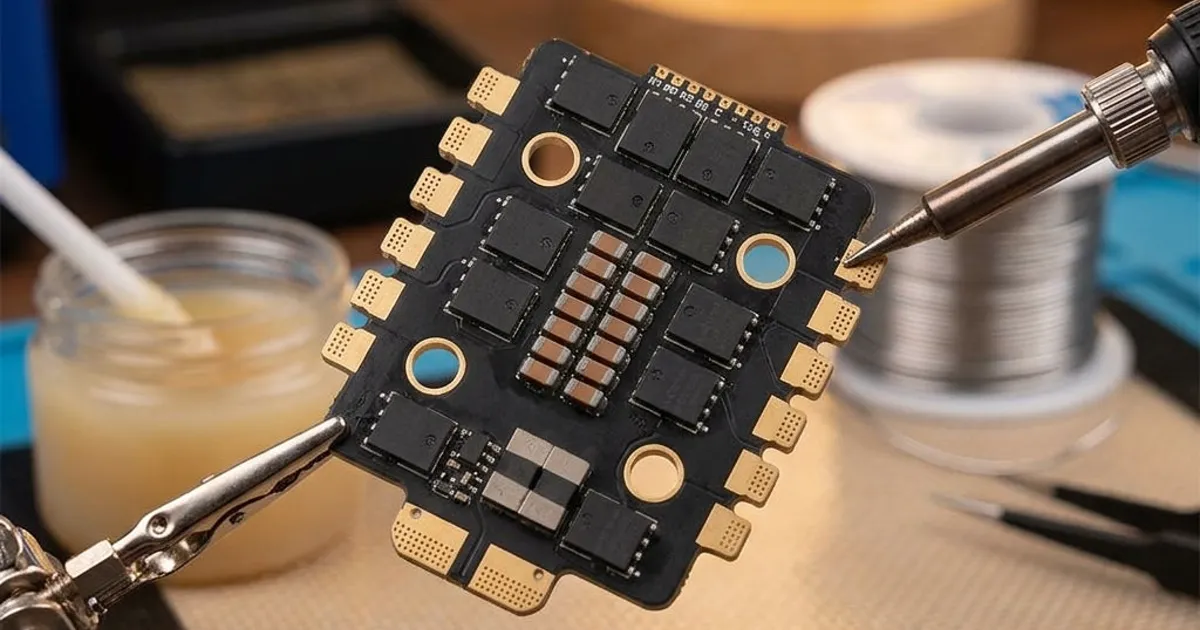
The Tekko32 F4 is a 4-in-1 ESC board from Holybro. All four motor ESCs sit on one board instead of four separate ones. It uses 32-bit processors. That is what makes it work with AM32 firmware, a modern open-source ESC firmware built for this kind of hardware.
The 4-in-1 design keeps wiring simple. Power and signal connections are grouped together on one board. It usually stacks right under a matching flight controller, using a standard mounting pattern. If you mix boards from different sizes, a short wiring harness connects them instead.
Wiring to the Flight Controller
The Tekko32 F4 needs three main links to your flight controller:
- Motor signal wires: Four thin wires, one per motor. Each one carries the throttle command from the flight controller to its ESC channel. These usually connect to a pin header or solder pads labeled M1 through M4.
- Power input: The main battery positive and negative pads. These are thick copper pads on the board. They connect to your battery lead or power distribution point.
- Ground reference: A shared ground link between the ESC board and flight controller. The signal wires need this to work correctly. On stacked setups, this often comes through the mounting standoffs and connector. Check your specific stack's documentation to be sure.
Many stacks are sold as a matched set with one connector. In that case, most of the wiring is done for you. Just check that the connector is fully seated. If you wire separate boards yourself, match each signal wire to the correct motor number carefully. A mismatch here causes motor direction and mixing errors later.
Using the AM32 Configurator
The AM32 configurator is a tool for checking firmware, changing ESC settings and flashing updates. It runs in a browser or as a desktop app. Here is how to use it with the Tekko32 F4:
- Connect your flight controller to your computer by USB.
- Open the AM32 configurator. Select the right connection method, usually the flight controller's serial passthrough.
- Read the current firmware and settings on all four ESCs. Confirm all four show as connected first.
- Need to update the firmware? Flash the correct target for the Tekko32 F4. Double-check the target name matches your exact board revision.
- Save your current settings before you flash anything. This lets you compare or restore them later.
Setting Motor Direction
After wiring and firmware, set the spin direction for each motor. Betaflight's motor tab lets you spin each one at low throttle. Do this one motor at a time, with props off. Check the direction against your frame's required motor layout.
Does a motor spin the wrong way? You do not need to re-solder anything. Just reverse the direction in the AM32 configurator, or use Betaflight's DShot direction command. Then check it again. Repeat this for all four motors before moving on.
Always remove propellers before testing motor direction or running any bench checks. A motor that spins briefly at low throttle can still cause injury or damage if a prop is attached.
Recommended Settings and Checks
Once firmware and motor direction are confirmed, a few settings are worth checking specifically on Tekko32 F4 boards running AM32:
- Protocol: Use DShot600 or bidirectional DShot if your flight controller firmware supports it, since this enables RPM filtering in Betaflight.
- Motor timing: Leave at the manufacturer's default unless you have a specific reason to change it, since incorrect timing can cause desyncs or extra heat.
- Temperature limits: AM32 includes thermal protection settings. Confirm these are enabled rather than disabled, to protect the board under hard use.
- Startup power: Default startup settings usually work well; only adjust if you experience desync issues on spin-up, which is uncommon on a correctly wired Tekko32 F4.
For a broader comparison of ESC firmware options and why AM32 is often recommended for boards like this one, see ESC firmware compared.
Checks Before Your First Flight
- Confirm all four motors spin the correct direction with props off.
- Check that Betaflight (or your firmware of choice) shows all four ESCs communicating correctly, with no missing telemetry if you enabled bidirectional DShot.
- Verify battery voltage readings in the configurator match a multimeter reading, confirming the power connection is solid.
- Do a careful, low-throttle bench test with props on, holding the frame securely, to confirm smooth spin-up on all motors.
- Review your full pre-maiden checklist, covered in the Betaflight setup guide, before your first real flight.
Troubleshooting Common Issues
If a motor does not respond, first check the signal wire connection at both ends, since a loose solder joint is the most common cause. If a motor desyncs under load, review motor timing and startup power settings, and confirm your prop is not too large for the ESC's current rating. For wider ESC problems like overheating or random cutouts, the guide on fixing ESC problems covers a full diagnostic order.