
Quick Answer
Most arming failures come from a small list of causes: throttle not at zero, a switch set wrong, the receiver not connected, the drone tilted too far, or a USB cable still plugged in. Check the arming-disable flags in your configurator first, since they tell you exactly what is blocking arming.
Reading Arming-Disable Flags
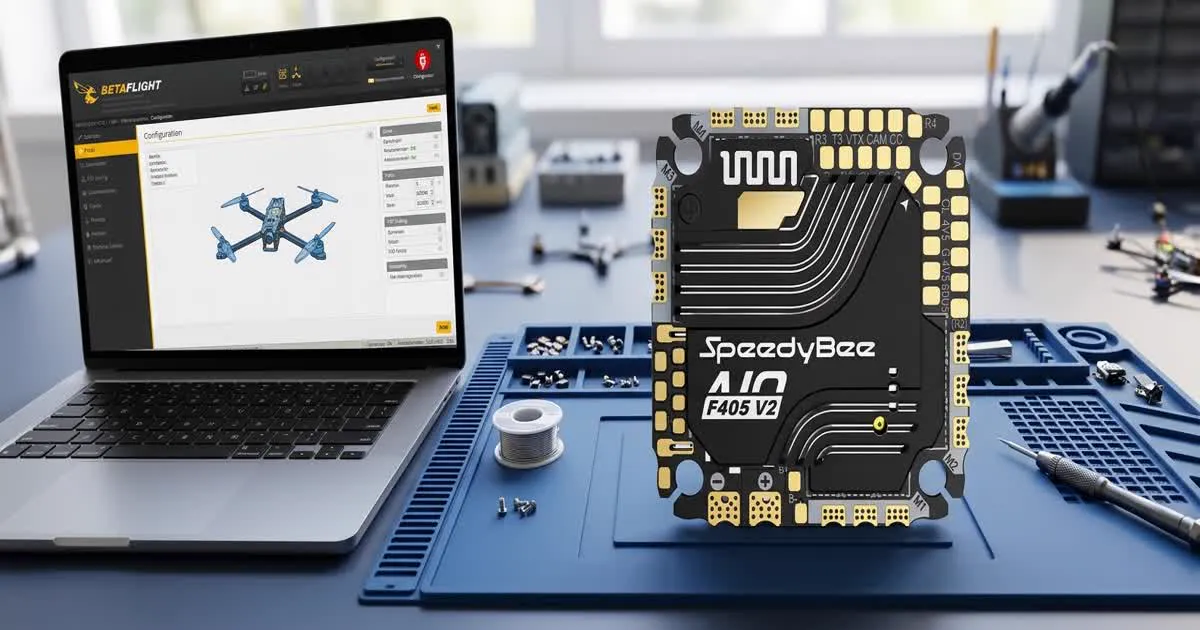
Betaflight and similar firmware show a list of "arming disable flags" on the setup or motors tab when the drone will not arm. This list is the fastest way to find the real cause, instead of guessing.
Common flags include:
- THROTTLE – the throttle stick is not at its lowest position
- RXLOSS – the flight controller is not receiving a signal from the receiver
- ANGLE – the drone is tilted past the allowed limit for arming
- RUNAWAY – runaway takeoff protection has triggered from a past event
- BOXFAILSAFE – the failsafe state is currently active
- CLI or MSP – you are connected to a configurator over USB, which blocks arming as a safety feature
Look at this list before changing anything else. It usually points straight at the fix.
Throttle Position Issues
If the THROTTLE flag is active, the flight controller does not see your throttle stick at zero.
- Check your throttle channel range on the receiver tab. It should reach its lowest value when the stick is fully down.
- Confirm your radio's throttle channel mapping matches what the flight controller expects. This is commonly AETR or TAER, the channel order for aileron, elevator, throttle, and rudder.
- If you use a throttle hold or throttle cut switch, make sure it is not active when you try to arm.
- Recalibrate your radio's stick end points if the throttle channel does not reach a clean minimum value.
Arming Switch Problems
The arming switch itself is a common source of confusion, especially on a new build or a radio you just set up.
- Confirm you have assigned the ARM mode to a real switch on the modes tab, not left it unassigned.
- Move the switch and watch the mode indicator on the same tab. It should highlight green when the switch is in the arm position.
- Check for a second mode, like an angle or failsafe mode, that might be conflicting with the arm switch position.
- If you recently changed radios or receivers, reassign and retest the arm switch, since channel order can shift between setups.
For a full walk-through of setting up modes and switches from scratch, see this Betaflight setup guide.
Receiver Not Detected
If the RXLOSS flag is active, or the receiver tab shows no channel movement, the flight controller is not getting a signal at all.
- Check the physical connection between the receiver and the flight controller, including the signal wire, ground, and power pins.
- Confirm the ports tab has the correct UART selected for your receiver protocol. UART is a serial port on the flight controller. This is commonly CRSF, the serial protocol that ExpressLRS (ELRS) receivers use.
- Rebind the receiver to the transmitter if channels show no movement at all.
- Check for a firmware mismatch between the receiver and the radio's ELRS module, since a version mismatch can prevent a proper bind.
Angle Too High to Arm
Many flight controllers block arming if the drone is tilted past a set angle. This is a safety feature to stop accidental arming on an unstable surface.
- Place the drone on a flat, level surface before trying to arm.
- Check the accelerometer calibration if the drone reports a tilt angle that does not match how it is actually sitting.
- Some firmware lets you adjust or disable this angle limit, but keep some limit in place as a real safety check.
USB Still Connected
This one catches almost every pilot at some point. Most flight controller firmware blocks arming while connected to a configurator over USB, as a safety feature.
- Fully disconnect the USB cable and close the configurator software before trying to arm.
- If it still will not arm after disconnecting, check for the MSP or CLI flag specifically. A lingering software connection can sometimes hold the flag active until you power-cycle the flight controller.
A Quick Fix Checklist
Work through this list in order:
- Read the arming-disable flags in your configurator.
- Confirm the throttle stick is at zero and the channel is mapped correctly.
- Check the arm switch is assigned and shows green when active.
- Confirm the receiver is bound and showing live channel movement.
- Place the drone on a flat surface and check the angle flag.
- Disconnect any USB cable and close the configurator.
- If nothing above works, check blackbox or configurator logs for a runaway takeoff flag from a past flight, described in this blackbox logging guide.
Always keep the propellers off while testing arming on the bench, and only fit props once you are ready to fly.